Install the 3cx PWA
The 3CX PWA is a App like web client for your 3CX on the desktop.
The PWA can be added as a shortcut on the desktop/taskbar, and configured to automatically run on system start. so you are able to make and receive calls anytime.
Install 3CX PWA
- Open your 3cx web client
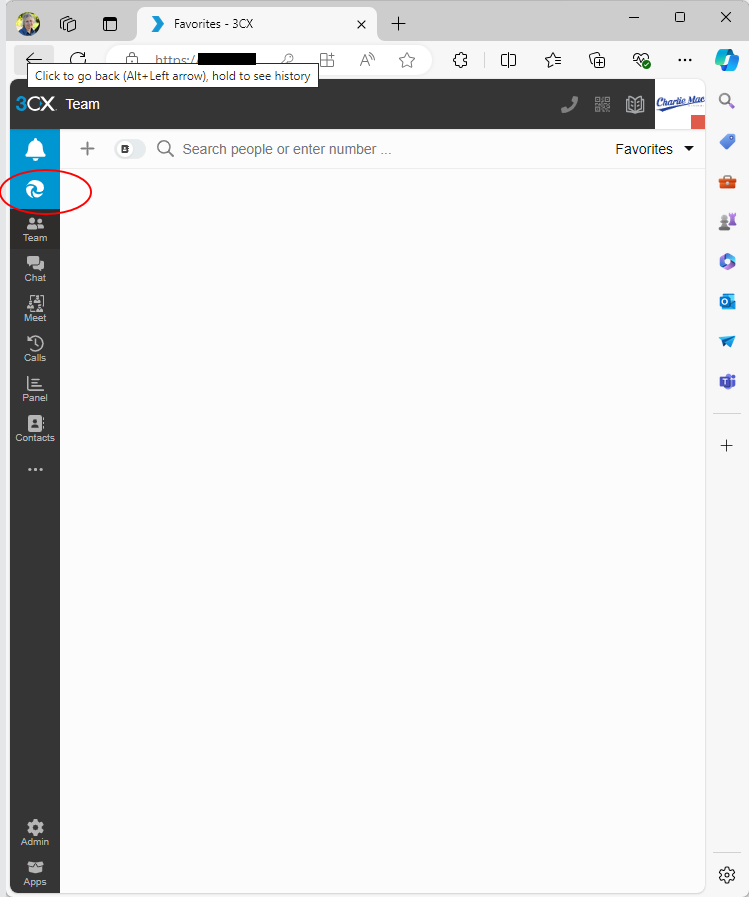
- Click the blue icon top of the left taskbar to install the PWA.
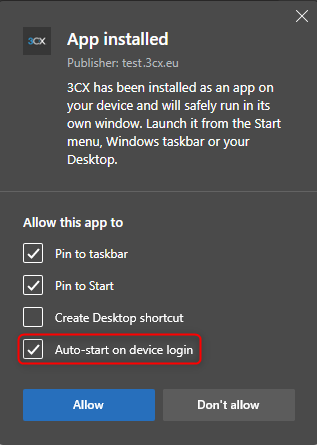
- Select to Auto-start and pin to task bar in the dialog that appears after installation.
- Click the bell to allow notifications and receive calls.
Do not close the PWA, you will not be notified if a phone call is coming in.